
Tracking status guide
What Does Pre-Transit Mean? Tracking Status Explained (2026)
Pre-transit is the awkward waiting-room status: a label exists, but the package has not clearly entered the carrier network yet.
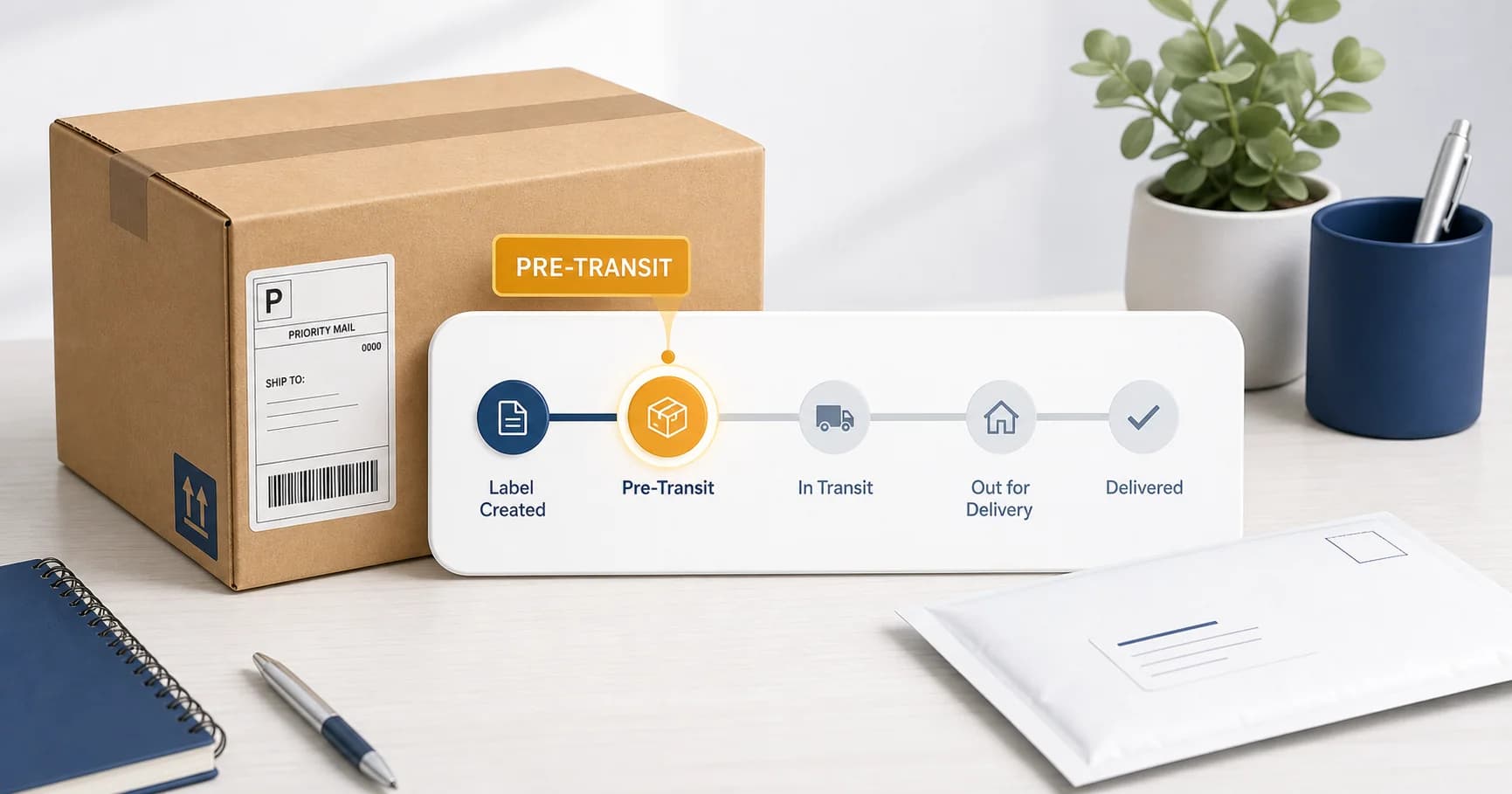
Quick answer: pre-transit meaning
Pre-transit means the shipment exists in the tracking system, but the carrier has not scanned it into active transit yet.
- ✓ The label or order was created.
- ✓ The package may still be with the sender, warehouse, or pickup driver.
- ✗ It does not prove the carrier has the package yet.
- ⚠ If it stays stuck for 3 to 5 business days, contact the sender first.
Table of contents
What does pre-transit mean?
Pre-transit means a shipping record exists, but the carrier has not shown the package moving through its network. It is common on ecommerce platforms because the store can create a label before the package is physically picked up, dropped off, or scanned.
For USPS shipments, you may see similar wording such as pre-shipment, label created, not yet in system, or USPS awaiting item. The phrasing changes by platform, but the core idea is the same: tracking started before confirmed carrier possession.
This is why pre-transit feels annoying. You can see a tracking number, but the tracking number is not yet telling you where the package physically is.
Where pre-transit fits in the delivery timeline
Think of tracking as a series of handoffs. Pre-transit sits near the beginning, before the carrier has enough scans to show real movement.
| Status | What it usually means | Who can help first |
|---|---|---|
| Label created | The sender bought postage and made a tracking number. | Sender or seller |
| Pre-transit | The package is not yet scanned into active carrier movement. | Sender or seller |
| Accepted or in transit | The carrier has a scan showing possession or network movement. | Carrier or sender |
| Out for delivery | The item is with the local delivery route. | Carrier |
If the package later switches to delayed movement, use our USPS tracking not updating guide to decide when it is normal and when to escalate.
How long should a package stay in pre-transit?
A normal pre-transit window is usually short. Many packages update within 24 to 48 hours after the sender actually hands the item to the carrier. Weekends, holidays, warehouse batching, and late-day pickups can add time.
0 to 2 days
Usually normal. The label may be waiting for pickup or first scan.
3 to 5 business days
Ask the seller if the package was actually handed to the carrier.
More than 5 business days
Push for proof of shipment, replacement, refund, or a carrier investigation if scans exist.
If the shipment is a letter you control, this is exactly why online mailing can be cleaner: upload the document and The Letter Pilot handles the print-and-mail handoff for you.
Why tracking gets stuck in pre-transit
Pre-transit does not always mean something is wrong. It means the visible tracking trail has not caught up to the physical package yet. Here are the common causes.
1. The seller created the label early
Many stores print labels in batches before packing or carrier pickup. Tracking starts before the box leaves the warehouse.
2. The first scan was missed
A package can move without a visible acceptance scan. It may not update until it reaches a processing facility or local delivery unit.
3. The package is waiting in a pickup batch
Large shippers often hand over carts, sacks, or pallets. Tracking may not update until the batch is processed.
4. The sender never handed over the item
This is the frustrating one. A tracking number can exist even if the package is still on a shelf. That is why the sender is the first person to contact.
What to do if your package is stuck in pre-transit
- Check the carrier tracking page directly. Marketplace apps can lag or simplify statuses. For USPS, use the official tracking page or our USPS tracking tool.
- Wait 24 to 48 hours if the label is new. A same-day label with no scan is usually not a crisis.
- Contact the seller after 3 to 5 business days. Ask whether the package was handed to the carrier and whether they have a drop-off receipt or pickup confirmation.
- Ask for a replacement or refund if there is still no proof. If the carrier never scanned the item, the seller is usually in the best position to fix it.
- Contact the carrier only after carrier scans exist. Once tracking shows accepted, in transit, arrived at facility, or out for delivery, the carrier has more data to investigate.
Sending an important letter?
Upload it to The Letter Pilot and we handle printing, postage, and mailing. No printer, no envelope, no post office run.
Send mail onlineFrequently asked questions
What does pre-transit mean?
Pre-transit means a shipping label or order exists, but the carrier has not scanned the package into the active delivery network yet. It is usually the step between label creation and the first carrier acceptance scan.
Is pre-transit the same as pre-shipment?
Usually, yes. Many ecommerce platforms say pre-transit, while USPS often uses wording like pre-shipment or USPS awaiting item. In both cases, the label exists but the carrier has not confirmed possession yet.
How long can a package stay in pre-transit?
Many packages leave pre-transit within 24 to 48 hours after the seller hands them to the carrier. If it stays there for 3 to 5 business days, contact the sender or seller first.
Does pre-transit mean the package was not shipped?
Not always. It can mean the sender created a label but has not handed over the item yet, or it can mean the item was handed over but the first scan has not appeared. The sender is the best first contact because they control the handoff.
Can a pre-transit package still arrive?
Yes. A missed acceptance scan can make tracking look stuck even while the package moves. It should usually receive a later scan at a processing facility or delivery unit.
Should I contact USPS about pre-transit?
Contact the seller or sender first. If the carrier has not scanned the package, USPS may not have enough information to investigate. Contact USPS after tracking shows an acceptance or in-transit scan and then stops moving.
Related guides
The USPS-specific version of pre-transit and awaiting item statuses.
Label created, not yet in systemWhat it means when USPS has a tracking number but no item scan.
USPS tracking not updatingHow long to wait when a package stops showing movement.
Out for delivery but not deliveredWhat to do when tracking gets stuck at the final step.
The information in this guide is for educational purposes only. The Letter Pilot does not guarantee USPS delivery times, routing, or processing speed. All mail is handled solely by the United States Postal Service, and actual delivery times may vary.
Delivery timelines and tracking information are provided by USPS and are not controlled by The Letter Pilot.