Bulk Letter Mailing Service
Print and mail one document to many recipients
Bulk letter mailing works for community announcements, tenant notices, policy updates, and other letters with the same contents for every recipient. Upload a finished document, choose one from your Document Library, or type your letter.
Each address receives the same document. Names, invoice amounts, or balances inside the letter are not replaced for each recipient. Prepare separate mailings when the document contents differ.
Prepare your address list
In your account, open Address Book and select Import CSV. Include a recipient name or organization and columns for Address1, City, State, and Zip. Use two-letter state abbreviations and ZIP or ZIP+4 codes; add apartment or suite details in Address2. You can map your column names before importing.
Review the import results, then select saved recipients individually or by group in your mailing. A Group column can organize your imported addresses for future mailings.
How to send bulk letters online
Prepare your letter
Sign in and upload your finished document, choose a saved document, or type your letter. The same contents will be printed for every recipient.
Choose recipients
Select saved addresses or groups. To add a new list, import a CSV into Address Book and review the results before selecting recipients.
Review and send
Choose printing and mail options, review the price and document proof, and complete payment. We print and mail a copy to each selected U.S. address.
Tracking and mailing records
Open Mail Jobs to view status and available tracking updates for your mailing. Certified Mail provides a USPS tracking number for each recipient. Available mailing documents appear in the job details; an optional Return Receipt is available when selected and issued.
First-Class scan updates are different from Certified Mail tracking and do not include a recipient signature record. Compare the records and options on our Certified Mail service page.
Saved addresses, documents, and mailing history
Reuse your address groups and documents when you send the next announcement or notice.
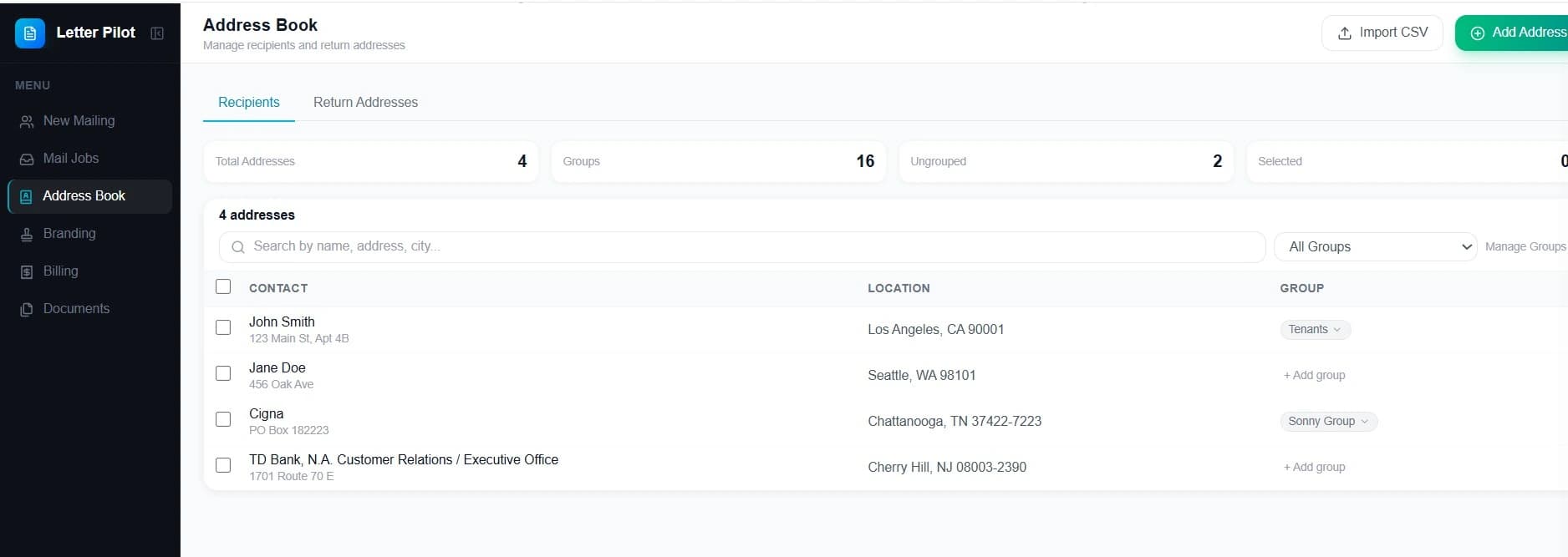
Address Book
Save homeowners, tenants, clients, or business contacts so repeat mailings are faster and easier.
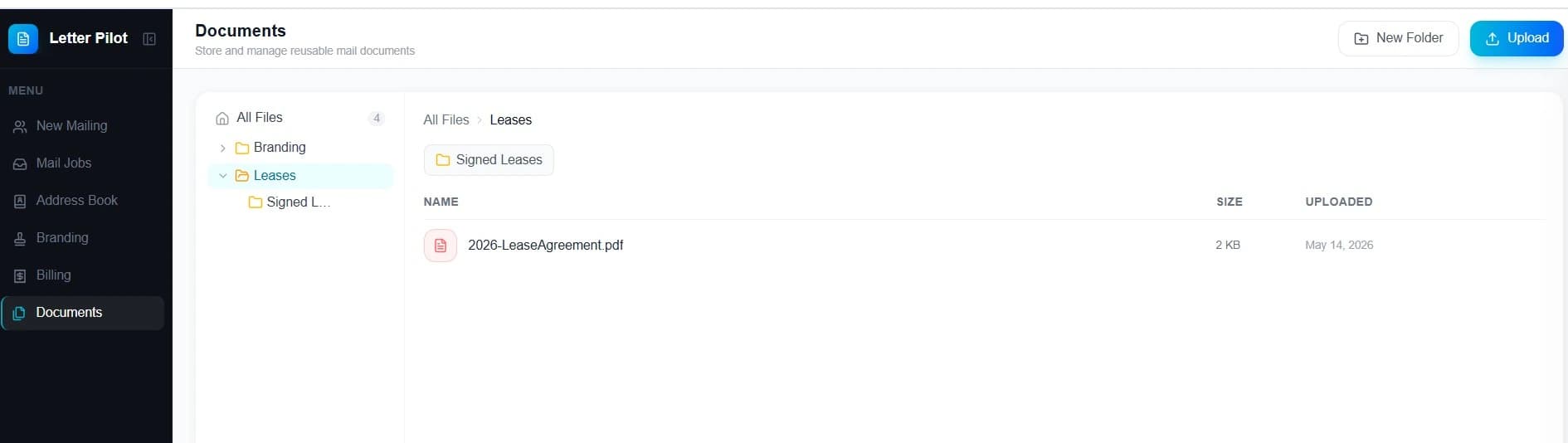
Document Library
Store and reuse common notices, templates, forms, and letters without uploading the same file every time.
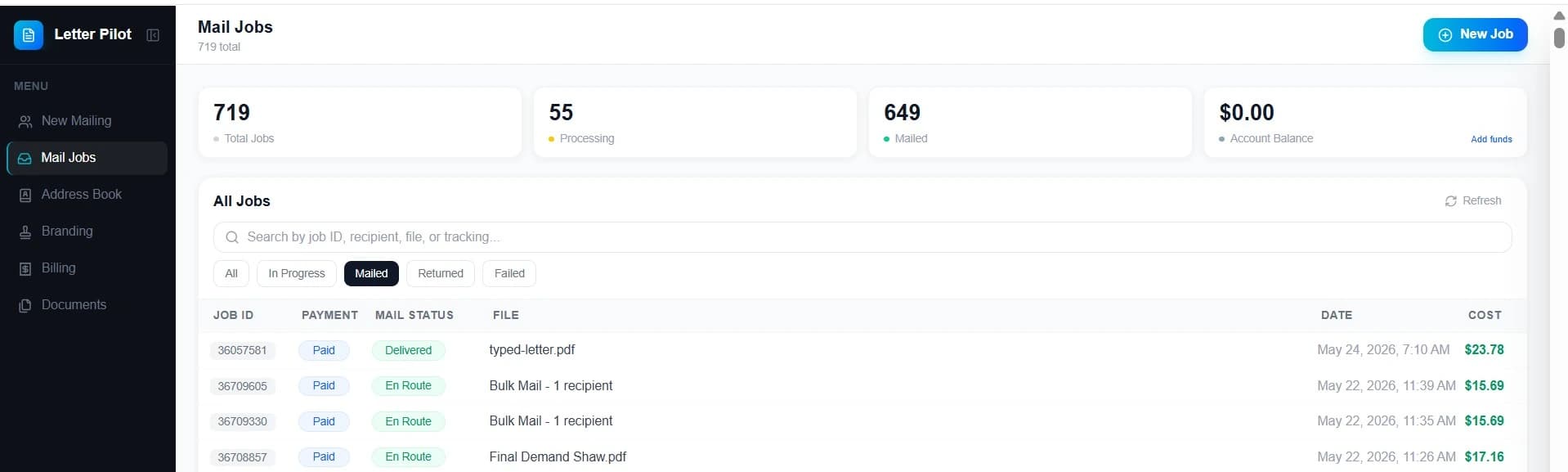
Mail Job Dashboard
Track every mailing, view costs, search by recipient or file, and monitor status updates from one dashboard.
Bulk letter mailing prices
Pay per recipient. Review the total for your document, printing options, and mail class before payment.
First-Class Mail
$1.89–$2.99/piece before taxThese estimates include one single-sided black-and-white page, USPS postage, and processing before tax. Additional pages, color printing, or a flat envelope change the total.
| Recipients | 1-page B&W before tax |
|---|---|
| 1–5 | $2.99 |
| 6–10 | $2.89 |
| 11–24 | $2.79 |
| 25–99 | $2.49 |
| 100–499 | $2.29 |
| 500–999 | $2.19 |
| 1,000–4,999 | $1.99 |
| 5,000+ | $1.89 |
- ·B&W printing: $0.25/page
- ·Color printing: $0.50/page
- ·Two-sided saves $0.05/page
- ·Flat envelope: +$0.75/recipient when selected or required
- ·USPS First-Class postage included
Certified Mail
Price before paymentThe total depends on document pages, printing choices, and the Certified Mail option selected. Each recipient has a separate USPS tracking number; Return Receipt is an optional additional record.
- ·USPS tracking number per recipient
- ·Available mailing records in Mail Jobs
- ·Optional Electronic Return Receipt when selected and issued
Compare page costs and volume discounts on our pricing page. Your final total is shown before payment.
Common bulk letter mailings
HOA and property management mailings
Community announcements, meeting notices, and shared updates for HOAs and landlords.
Notices with mailing records
Choose Certified Mail when you want a separate USPS tracking number for each recipient.
Business and customer letters
Policy updates, service announcements, and other letters with the same contents for every recipient.
Bulk mailing questions
Yes. Sign in to use your Address Book, saved documents, recipient groups, and mailing history. For a single letter without an account, use our Send Letter Online service.
No minimum batch size is required. Select one or more saved recipients. The price depends on your recipient count, document pages, printing options, and mail class.
Open Address Book and choose Import CSV. Include recipient names or organizations, street addresses, cities, two-letter state abbreviations, and ZIP codes. Review the column mapping and import results, then select the saved recipients or groups for your mailing.
This service sends the same finished document to every selected address. It does not replace names, balances, or other fields inside the letter for each recipient. Prepare separate mailings when the document contents differ.
First-Class and Certified Mail use next-business-day production. USPS delivery time is separate from preparation time and depends on the mail class and destination.
Open Mail Jobs to view status and available tracking information for your mailing. Certified Mail has a USPS tracking number for each recipient. Available documents appear in the mailing details; an optional Return Receipt can be downloaded when selected and issued.
Ready to send?
Sign in to prepare your letter and select your saved recipients.
1-page B&W $1.89–$2.99/piece before tax · View full pricing
Last updated: